 Rob RunInternalSKU 292
Vendex Cheat
- Instant delivery
- Live support
Specifications
- Status
- Undetected
- Type
- Internal
- Last update
- Nov 19, 2026
- Windows
- 10, 11
- Game client
- Steam
- Processor
- Intel, AMD
- Built-in spoofer
- No
- Window mode
- All
- USB required
- No
About Vendex Cheat
Reviews
No reviews for Vendex Cheat yet. Recent reviews from other ABCheats customers:
fr this thing turned my mm games into highlight reels. cheap too
Counter Strike 2 Memesense Cheatswf with the boys and we all see killer aura, poor guy never stood a chance. my first cheat purchase ever and the whole process went smooth from payment to playing
Dead By Daylight Cobra Cheatbest external for halloween, clean visuals, simple menu
Halloween The Game Vendex Cheatmultiplayer and warzone both covered, one cheat for everything cod
COD Black Ops 6 Deathwing Cheat
Features
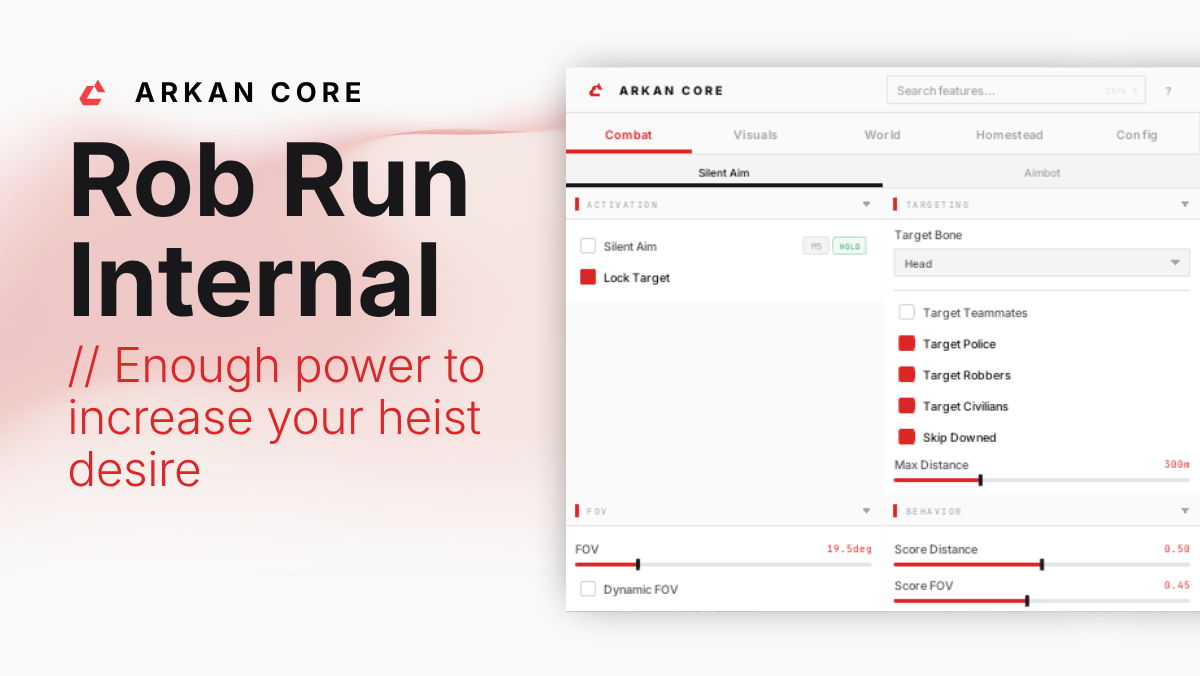
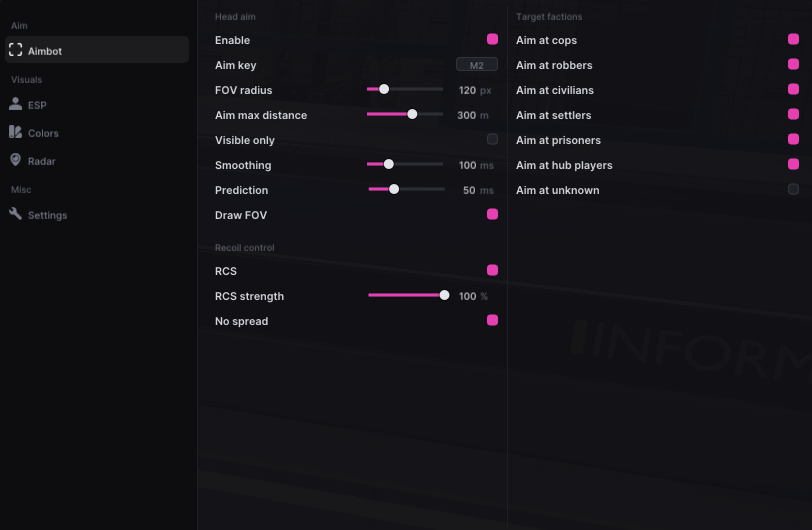
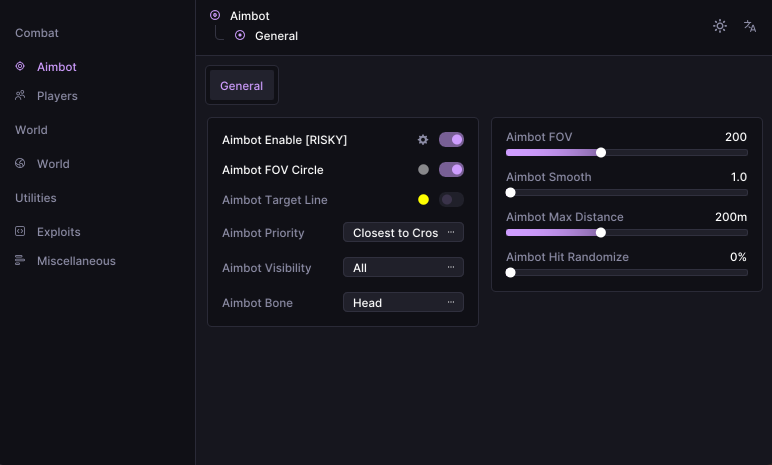
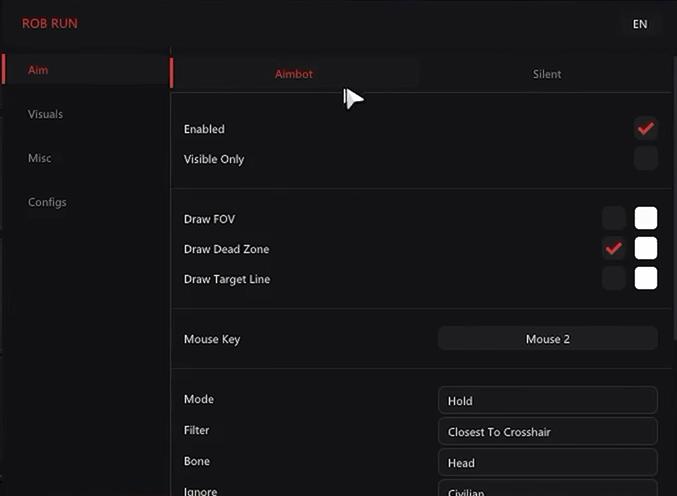
Aimbot & Targeting
- Optional aim key with adjustable activation delay
- Five target-priority modes: crosshair, bone, distance, health and FOV
- 22 target-bone choices and bone scan
- Stick-to-target control
- Non-visible target selection option
- Maximum target distance: 25–1,000 metres
- Role-based target selection for cops and criminals
- Separate target filters for cops, criminals, civilians, prisoners and other roles
- Aim at Knocked toggle; knocked targets excluded by default
- Clanmate, party-member and battle-teammate exclusions
- Automatic vehicle-occupant motion tracking
Homestead ESP
- Homesteads At Any Distance: markers for known bases beyond the detail-distance limit
- Separate Detail Distance control up to 1,000 metres for loaded objects
- Homestead List with owner/clan search and distance-sorted entries
- Move, scroll and collapse the Homestead list while the menu is open
- Info Opacity: 10–100% for labels and the Homestead list
- Owner names, clan tags, distance labels and dot markers
- My Homestead, Clan Homesteads and Other Homesteads filters with separate colours
- Available homestead states, including locked, construction and moving states
- Available raid details: building counts, armed/raided defenses, raid locks and VIP state
- Available building door states and defense-block status
- Homestead Summary and individual Object Labels controls
- Crypto, Laundering and Production machine filters
- Cargo Opening, Cargo Exchange and Cargo Charging machine filters
- Separate Safes, Built-in Containers, Other Storage and Shelving filters
- Buildings, Defense Blocks, Building Loot, Garage and First Aid filters
- Individual object-type colours
- Available workbench cargo, production output and machine status
- Building Loot cargo-presence labels and available disappearance timers
- Available raid-lock, laundering, production and cargo opening/exchange countdowns
- Crypto and Cargo Charging status labels
- Storage Total Value for safes, built-in containers and other storage when contents are available
- Preview Storage Values for eligible nearby storage when the game supplies contents
- Distant markers retain known base information; detailed objects and inventories require loaded data
Movement & Bullet Tracers
- Bunny Hop with optional hold key; automatic when no key is assigned
- Speed toggle with a local 0.5×–4× multiplier; server corrections can limit the result
- Bullet-tracer colour, duration from 0.2–3 seconds and thickness from 0.5–4
- Optional impact markers with their own colour
Smoothing & Aim FOV
- Independent Enable Smoothing switch with Basic, Advanced and Aim path views
- Basic smoothing: Smooth, Balanced and Aggressive profiles
- Basic strength: 1–100%, with a separate Humanized toggle
- Advanced Aim Speed: 1–100%; Assist Strength: 25–200%
- Two Bezier control points, Number Of Points, Random Factor and Endpoint Noise Level
- Enable Visualizer with separate Show Assist Path and Show Assist Point switches
- Path colour and fade timing from 0–3 seconds
- Targeting FOV enable, show/hide, radius and colour controls
- Dynamic ADS targeting FOV with a 0–5× multiplier
Radar & Awareness
- Radar with adjustable size, scale and blip radius
- Compass bar with width, range, player and team marker controls
- Directional compass with FOV clamping and distance scaling
- Directional compass radius and indicator-scale controls
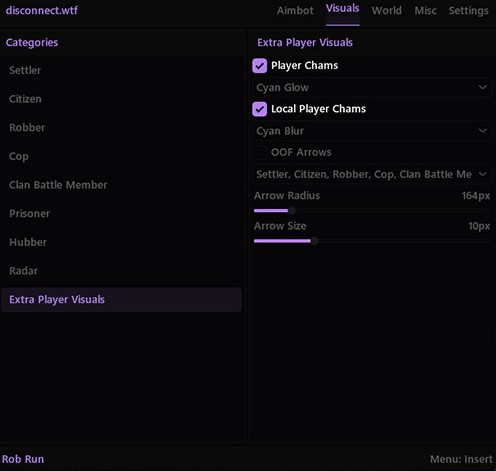
- Off-screen indicators and direction arrows
- Off-screen marker size: 16–64 px; screen padding: 0–120 px; optional distance scaling
- Snaplines from Top, Center or Bottom with thickness and friendly/enemy/visible filters
- Role colours on radar, compass and off-screen player markers
- Threat-warning widget with adjustable width
Interface & Colours
- Light, Dark and System menu themes with editable accent colour
- Interface scaling: 75%–200%
- Adjustable menu shortcut
- Interface animation timing: 100–500 ms
- Colour-picker rainbow mode with speed and saturation controls
- Background blur toggle and amount, with a solid background where blur is unsupported
- HDR display mode and SDR brightness controls for the overlay
Player ESP & Roles
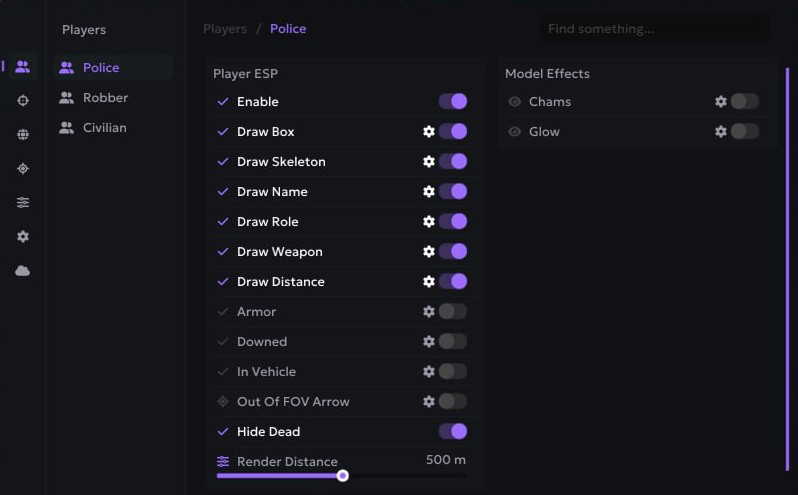
- Outline, corner and filled player boxes
- Skeleton overlay
- Player names, held item / gear and distance
- Health bar and health percentage when available
- Role labels: Cop, Criminal, Civilian, Prisoner, Other and Unknown
- Editable role colours across player overlays and directional markers
- Self, target and non-target / ally display filters
- Criminals Only display filter
- Ignore Non-Visible option and player render distance up to 200 metres
- Armour presence; segment count only when detailed armour data is available
- Loadout-value estimate when inventory data is available; usually unavailable for remote players
- Drag-and-drop ESP label layout with a selectable preview role
- Font size: 10–15; preview zoom: 40–120%
- Preview Skeleton Smoothness control
- Preview zoom in/out, reset to 100% and Reset layout while retaining enabled elements
HUD & Crosshair
- Ten crosshair presets and colour selection
- Adjustable crosshair gap, length, thickness and rotation
- Optional constant crosshair rotation
- FPS widget with a separate Frame History toggle
- Automatic or manual widths for the compact FPS view and frame-history graph
- Weapon-name widget with automatic or manual width
- Loaded-ammo widget when weapon data is available
- Health-bar widget with adjustable width
- Widget Opacity: 20–100%
- Movable HUD layout with snapping and a Reset Layout action
Configuration Profiles
- Save named configurations
- Load configurations from the profile browser
- Delete saved profiles while retaining the default
- Store targeting filters, smoothing, role colours and loot settings in profiles
- Save Homestead ESP settings, character outfits and vehicle cosmetic selections
- Keep separate aim, visual and HUD setups
Loot, Vehicle & Grenade ESP
- Drawers / Containers
- Loose Loot
- Loot Bags
- Loot Nodes
- Cash
- Cargo
- Vehicles, including cars and helicopters
- Grenades
- Separate Dot Marker, name, distance and value-label controls
- Item render distance up to 300 metres
- 2D Outline, 3D Outline and 3D Filled boxes where bounds are available
Camera & Lighting
- Camera FOV override: 60°–140°
- Sun Color toggle with editable colour
- Fullbright with a 1–6× brightness setting
- No Fog control
Skin Changer & Character Outfits
- Enable Skin Changer with separate Male Outfit and Female Outfit selectors
- Outfit selections saved with configuration settings
- Local character appearance changes visible only to you
- Original appearance restored when disabled, changing character or leaving the session
- Head, hair, accessories and first-person arm meshes are outside the outfit selector
Loot Values & Colours
- Loot-value estimates (~$) and exact known cash amounts ($)
- Loose-loot stack totals and available loot-node unit prices (/item)
- Preview Container Values for eligible nearby unopened containers when contents become available
- Minimum Loot Value filter with a separate Show Unpriced Loot option
- Hide Empty control; collected or unavailable loose pickups are removed
- Unavailable prices omit the value row instead of displaying a guessed total
- Container and bag totals depend on available inventory; cargo has no assumed total
- Colour modes: By Value, By Loot Type and Single Color
- Five editable value bands: under $1k, $1k–$4,999, $5k–$9,999, $10k–$24,999 and $25k+
- Separate colours for unpriced loot, empty loot, vehicles and grenades
Vehicle Cosmetics
- Coloured Tyre Smoke with colour picker and rainbow mode
- Longer Skid Trails with a 1–30 second lifetime
- Vehicle Model selector using the current game car catalogue
- Local-driver cosmetic changes; original handling, collision and seats retained
- Original visuals restored when disabled, leaving the driver seat or changing vehicles
More for Rob Run