 RustInternalSKU 40
Rust Matrix Internal Cheat
- Instant delivery
- Live support
Specifications
- Status
- Undetected
- Type
- Internal
- Undetected since
- Dec 26, 2025
- Last update
- Nov 8, 2026
- Windows
- 10, 11
- Game client
- Steam
- Processor
- Intel, AMD
- Built-in spoofer
- No
- Window mode
- All
- USB required
- Yes
About Rust Matrix Internal Cheat
Reviews
heli fights are a joke now, this thing beams
Bought a month sub to test it and renewed before the week ended. Everything works as advertised, injection is one click, and the visuals dont give you a headache after long sessions. Solid product
Running this on a mid range pc and my frames didnt move at all. The visuals are clean without being overwhelming and the legit aim settings got me through every encounter looking natural. Easy recommend
first cheat i ever bought, was worried id mess up the setup but the guide made it easy. works amazing
bro the stash esp... i found 3 hidden stashes in one roam and made back the price of the sub in sulfur. aimbot is just the cherry on top honestly
Features
WEAPON REMOVALS
- Recoil X: Adjust recoil in X
- No Movement Penalty: Walk/run while charging compound bow.
- Instant Charge: Instantly charges compound bow (without max damage).
- Fast Bow: Instant bow shot on left mouse button press.
- Unlock Angles: Turn while mounted (via hotkey).
- No Melee Slowdown: Removes melee slowdown when running and hitting.
- No Melee Punch: Removes melee punch (similar to recoil).
- No Bolt Cycle: Shoot without bolt cycle in bolt action rifles.
- Spread Amount: Adjusts spread (0 for no spread, 100 for max spread).
- No Weapon Bob: Removes weapon bob.
- No Sway: Removes weapon sway.
- Spread: Modifies projectile spread.
- Recoil Y: Adjust recoil in Y
- Recoil
COLLECTIBLES
- Diesel
- Metal
- All of these have adjustable color settings.
- Wood
- Sulfur
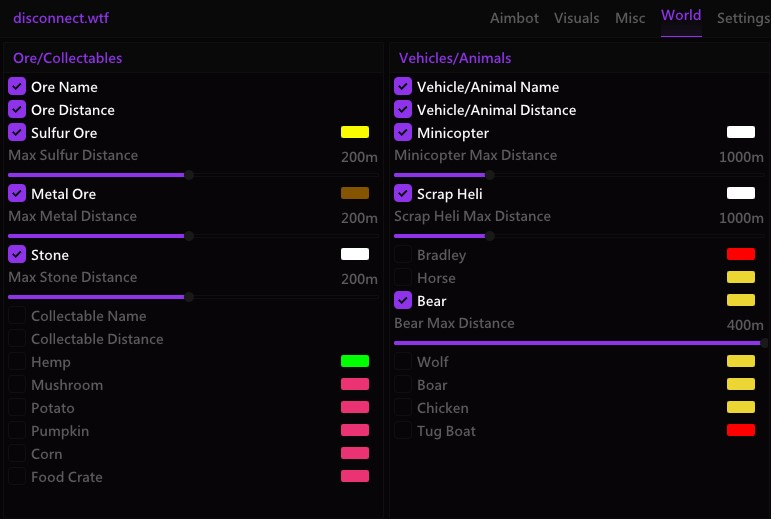
- Collectible Distance: Adjusts the draw distance for collectibles.
- Hemp
- Stone
- Berry Selection: Select from various berries (e.g., BlackBerry, BlueBerry, etc.) to enable ESP.
ANIMAL CHAMS
- Animal Chams: Enables chams for animals.
- Material: Choose the material type for Animal chams (e.g., Lightning, LightGlow, Flame, etc.).
- Animal Health: Select the display type for animal health (HealthBar, HealthText).
PLAYER LIST
- Displays a list of players based on search criteria and player status.
- Search bar at the top to filter players by name, Steam ID, or team ID.
- Assign players based on "Neutral", "Friendly", or "Enemy" status dropdown.
VEHICLES
- Drones
- Minicopter
- Cargo Ship
- Scrap Heli
- RHIB
- All of these have adjustable color settings.
- Patrol Heli
- Rowboat
- Tug Boat
- Submarine
- Attack Helicopter
- Pedal Bikes
- Motor Bikes
- Material: Choose the material type for vehicle chams (e.g., Lightning, LightGlow, Flame, etc.).
- Vehicle Distance: Adjusts the draw distance for vehicles.
- Bradley
- Vehicle Chams: Enables chams for vehicles.
RADAR MODIFICATIONS
- NPC Thickness
- Player Thickness
- Player Circle Size
- Entity Circle Size
- NPC Circle Size
- Players Length
- NPC Length
- Radar Size
AIM VISUAL FEATURES
- Target Snapline: Draws a snapline to the target.
- FOV: Field of View with color settings.
- Predicted Marker: Draws where you need to aim to hit the target.
- Simulate Projectile: Draws where the projectile will land.
- Crosshair: Customizable crosshair with color options.
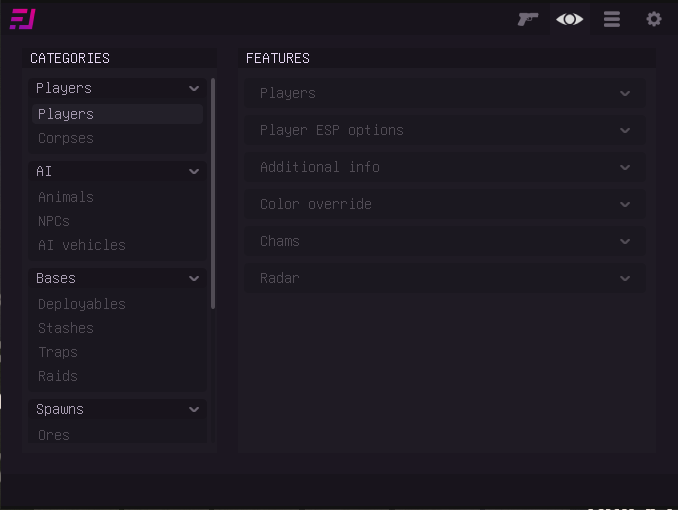
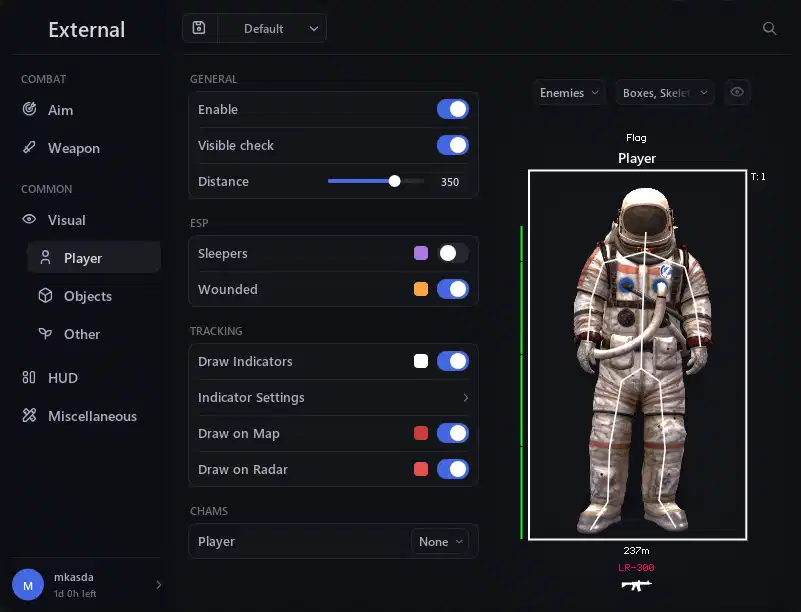
PLAYER ESP FEATURES
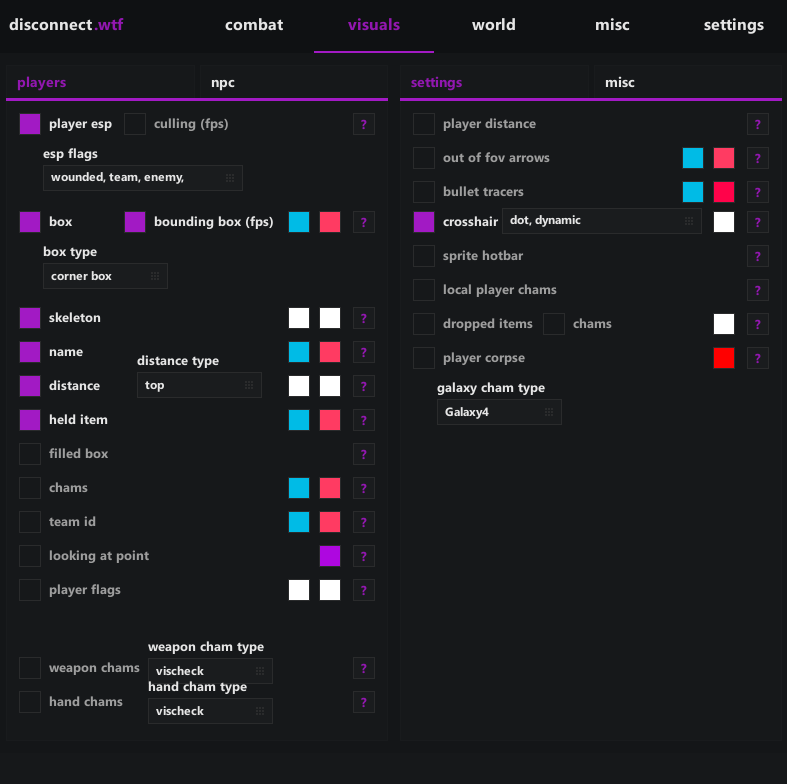
- Name: Display player names.
- Scientist: Toggle NPC visibility with color customization.
- View Direction: Draws the direction in which the player is looking.
- Distance: Show distance to players.
- TeamID: Display Team IDs.
- Skeleton: Show player skeleton with adjustable thickness.
- Box: Display corner box around players.
- HeldItem: Show held item for players.
- Hotbar Options: Toggle hotbar, clothing, parenting, use icons, and friendly/NPC/sleeper options.
- Players: Toggle player ESP with customizable color customization.
VISUALS
- VisibleColor: Color for visible hand chams.
- View Model Chams: Draws chams on your hand/weapon.
- NonVisibleColor: Color for non-visible hand chams.
- Model Material: Choose material type for your weapon (e.g., Lightning, LightGlow, Flame, etc.).
- ChamColor: Color for hand chams (if ColorPicker is selected).
WEAPON
- No Minigun Spinup: Shoot minigun without waiting.
- Weapon Spammer: Plays shooting animation(custom hotkey)
- Eoka Modifications: Modifies eoka hitchance.
- Spam Speed: Adjusts spam speed.
- Eoka Mode: Legit, Rage, or NeverHit.
- Full Auto: Makes gun fully automatic.
- Success Fraction: Adjusts success rate.
- Projectile Speed: Changes projectile speed.
- Speed: Adjust speed value.
- Custom Melee Effects: Changes hit effects for melee.
- Can Shoot: Shoot while swimming, on ladder, jumping, etc.
- Effect Type: Glass, Water, Tree, Flesh, Metal, Dirt.
- Melee Helicopter: Hits heli with melee, with increased range if enabled.
- Auto Strike: Automatically strikes with melee when in range of player/heli/ore.
- Aim In Mountable: Allows aiming in mounted vehicles.
- Melee Ores: Automatically hits ores with melee (selected in ESP).
- Melee Players: Automatically hits players with melee.
- Melee Trees: Automatically hits trees with melee.
- Melee Bone: Head, Chest, Hand, Foot, Rand, Rand NoHead.
- Silent Mode: Silent melee mode (use at own risk).
FOOD
- Mushroom
- Corn
- Pumpkin
- Potato
- All of these have adjustable color settings.
CONTAINERS
- Container Chams: Enables chams for containers.
- Material: Choose the material type for Container chams (e.g., Lightning, LightGlow, Flame, etc.).
- All of these have adjustable distance.
- Airdrop
- Normal Crate
- Elite Crate
- Tool Crate
- Military Crate
- Advanced Water Crate
- Food Crate
- Basic Water Crate
- Basic Crate
- Oil Barrel
- Medical Crate
- Normal Barrel
- All of these have adjustable color settings.
- Locked Crate
FAVORITE FUNCTIONS
- Toggles
- Full panels
- Full sub panels
- Dropdowns
- Displays favorited functions
- Sliders
WORLD
- Clear House: Clears your saved house position.
- Day Value: Set the day value between 0 and 24.
- Sky Changer: Modify the sky color.
- Ambient: Modify ambient light for better visibility in dark places.
- Aspect Value: Adjust the aspect value.
- Bright Stars: Make the stars brighter.
- Point Of Interest: Automatically generates a marker on the map at your saved position.
- Battlemode: Disables every item ESP on keypress.
- Disable ESP Map: Disables all ESP when the in-game map is open.
- All of these have adjustable color settings.
- Save House: Enables ESP for your last saved house position.
- Raid Time: Adjusts the time for raid visuals.
- Save Position: Enables ESP for your last saved position.
- Raids: Enables ESP for raids from any distance.
- All of these have adjustable color settings.
- Clear Position: Clears your saved position.
- All of these have adjustable color settings.
- Aspect Ratio: Modify screen aspect ratio.
- Ambient Mode: Choose between "Flat" or "Trilight" modes.
- Ambient Multiplier: Adjust ambient light intensity.
- Dayhack: Modify the current time of day.
INGAME RADAR ENTITIES
- Ingame Map LocalStashes: Displays saved local stashes on the ingame map when pressing 'G' or the ingame map hotkey.
- Ingame Map Raids: Displays raids on the ingame map when pressing 'G' or the ingame map hotkey.
EXPLOIT FEATURES
- Desync On Keypress: Activates desync while pressing aim key.
- Heli Rotor Override: Overrides hitbone to target the weakspots of the helicopter.
- Legit Bullet TP: Decreases projectile size to seem more legit.
- Custom Projectiles: Makes projectiles hit if fired near the target (larger on mounted players).
- Behind Wall Calculations: Automatically calculates where PSilent should target behind objects.
- Heli Magic: Expands the helicopter hitbox.
- Bone Override: Overrides hitbone to a selected bone.
PLAYER MODIFICATIONS
- Player Chams: Enable player chams with various material options (e.g., Lightning, YellowGlow, Fire, etc.).
- Cham Options: Customize chams for Friendly and NPC chams.- Cham Colors: Adjust cham colors when selecting specific materials.
- Viscolor: Customize visibility color.
- NPC Distance: Set the distance at which NPCs are drawn.
- Player Distance: Set the distance at which players are drawn.
- Text Spacing: Adjust spacing for player text.
- Disable Player Culling: Disables culling for players.
- Online Sleeper. Only draw a sleeping player if he is connected to the server.
- Sleeping. Toggle ESP for sleeping players with color customization.
- Team/Enemy: Toggle ESP for teammates and enemies with color customization and hotkey.
- Wounded/Dead: Toggle ESP for wounded or dead players with color customization.
- Dead: Draw dead players that have not respawned.
- Safezone: Toggle ESP for safezone players with a color customization.
- OOF: Draws indicators for players out of FOV.
- Outside: Draw a indicator that a player is outside.
CONFIGURATION
- SemiRage Config
- Extra Config
- Extra Config 1
- SAVE Button: Save the selected config and a success notification will be displayed.
- Extra Config 3
- LOAD Button: Load the selected config. The corresponding configuration will be applied, and a success notification will be displayed.
- Legit Config
- Rage Config
- Load Config: Choose which config to load from the list:
- Extra Config 2
MOVEMENT REMOVALS
- No Fall: No fall damage.
- No Drag: Walk through spikes/fire without slowdown.
- No Collision: Walk through players.
SETTINGS
- Configuration Status: Displays which configuration is currently loaded.
- Font Settings:
- Entity Font Size: Select the font size for entities (Tiny, Extra Small, Small, Medium, Large, Extra Large).
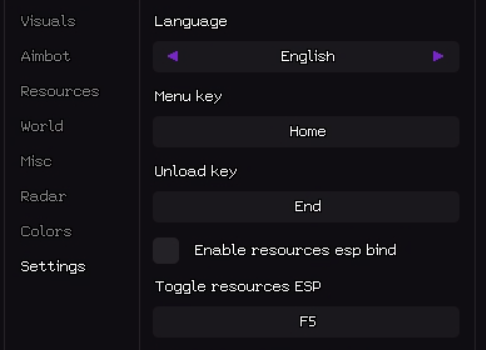
- Menu Key: Bind the hotkey for the menu.
- Menu Scale: Adjust the menu scale between 100% and 150%.
- Current Font: Choose between fonts.
- Warnings Font Size: Select the font size for warnings (Tiny, Extra Small, Small, Medium, Large, Extra Large).
- Player Font Size: Select the desired font size (Tiny, Extra Small, Small, Medium, Large, Extra Large).
OTHER
- Animal Corpse
- Item Category: Choose categories for dropped items (e.g., Weapon, Construction, Items, Resources, etc.).
- Other Chams: Enables chams for other entities.
- Dropped Weapons
- Material: Choose the material type for Other chams (e.g., Lightning, LightGlow, Flame, etc.).
- All of these have adjustable color settings.
- All of these have adjustable distance.
- Distance: Adjusts the draw distance for dropped weapons.
- Dropped Items
- Player Corpse
- Scientist Corpse
- Backpack
- Distance: Adjusts the draw distance for dropped items.
PLAYER DETAILS
- Option to refresh the player list and clear the known players.
- Option to copy the Steam link of the player to clipboard.
- Dropddown to set custom status (Neutral, Friendly, Enemy).
- Displays details of the selected player from the list.
- Shows player name, Steam ID, Team ID, and Last Known Grid.
AUTOMATIONS 2
- Steal Unlocked: Steals codelocks by changing the code when another player unlocks it.
- Stack Options: Selects items to stack (e.g., Metal, Wood, Stone).
- Auto Loot: Automatically loots containers based on selected items(custom hotkey)
- Silent Loot: Loots containers without UI showing.
- Lootables: Items that can be looted (e.g., Weapons, Resources, Ammo).
- Reset Crafting: Resets crafting timers.
- Refill Jackhammer: Automatically refills the jackhammer when near a workbench(will swap it out for a new one if its broken fully)
- Drop Inventory: Automatically drops the entire inventory when the hotkey is pressed.
- Keep In Handcuffs: Keeps players mounted in handcuffs and resets their timer.
- Auto Lock: Automatically locks any unlocked codelocks nearby(custom code input)
- Instant Handcuff Release: Instantly uncuffs the player when handcuffed.
- Drop Container: Automatically drops items in the container you're looting when the hotkey is pressed.
- Auto Auth: Automatically auths nearby codelocks(custom code input)
- Spam Handcuffs: Emits a noise when the local player has handcuffs on.
- Steal Players: Automatically mounts players to your vehicle nearby.
- Cancel Crafting: Automatically cancels crafting items(custom hotkey)
- Stack Items: Automatically crafts items from a dropdown selection(custom hotkey)
INGAME RADAR
- Ingame Map Scientist
- Show Ingame Radar Direction
- Ingame Map Players: Displays players on the ingame map when pressing 'G' or the ingame map hotkey.
- Show Ingame Radar Text
EXPLOIT MODIFICATIONS
- Hit Material: Select projectile material (Generic, Glass, Metal, Wood, Flesh, Dirt, Snow).
- Pierce Hitbone: Choose hitbone for projectiles (Head, Chest, Hand, Foot, Rand, Rand NoHead).
- Override Bone: Choose override bone (Head, Chest, Hand, Foot, Rand, Rand NoHead).
PLAYER PREVIEW
- Draws a preview where you can adjust the text positions for the player.
FRIEND OPTIONS
- Lists only players with a "Friendly" status.
- Allows actions like refreshing player list, copying Steam link, and setting custom status.
FOOD CHAMS
- Food Chams: Enables chams for food items.
- Material: Choose the material type for Food chams (e.g., Lightning, LightGlow, Flame, etc.).
- Food Distance: Adjusts the draw distance for food items.
MOVEMENT
- Spinbot: Automatically spins you (adjustable speed and yaw).
- Anti AFK: Prevents AFK kick by auto-jumping.
- Bar Type: Pulsating, Normal, Segmented, Circle.
- Violation Options: Flyhack, Noclip, Speed, etc.
- Anti Violations: Prevents generating violations.
- Flyhack: Fly with WASD keys(adjustable sprint/idle/slow speed)
- Disable Collisions: Clip through objects.
- Dick mode: Puts you into the ground on other players screens. Making you invisible.
- Teleport: Teleports 5 meters up/down.
- Walk on water: Lets you walk on water.
- Interactive Noclip: Move anywhere with noclip(adjustable sprint/idle/slow speed)
- On Ladder: Shows everyone you are on a ladder
- Omni Sprint: Sprint in any direction.
- Infinite jump: Lets you jump whenever you want.
AIM FEATURES
- Secondary Priority: Set priority for the secondary aim bone (Head, Neck, Spine, Lower Spine, Pelvis).
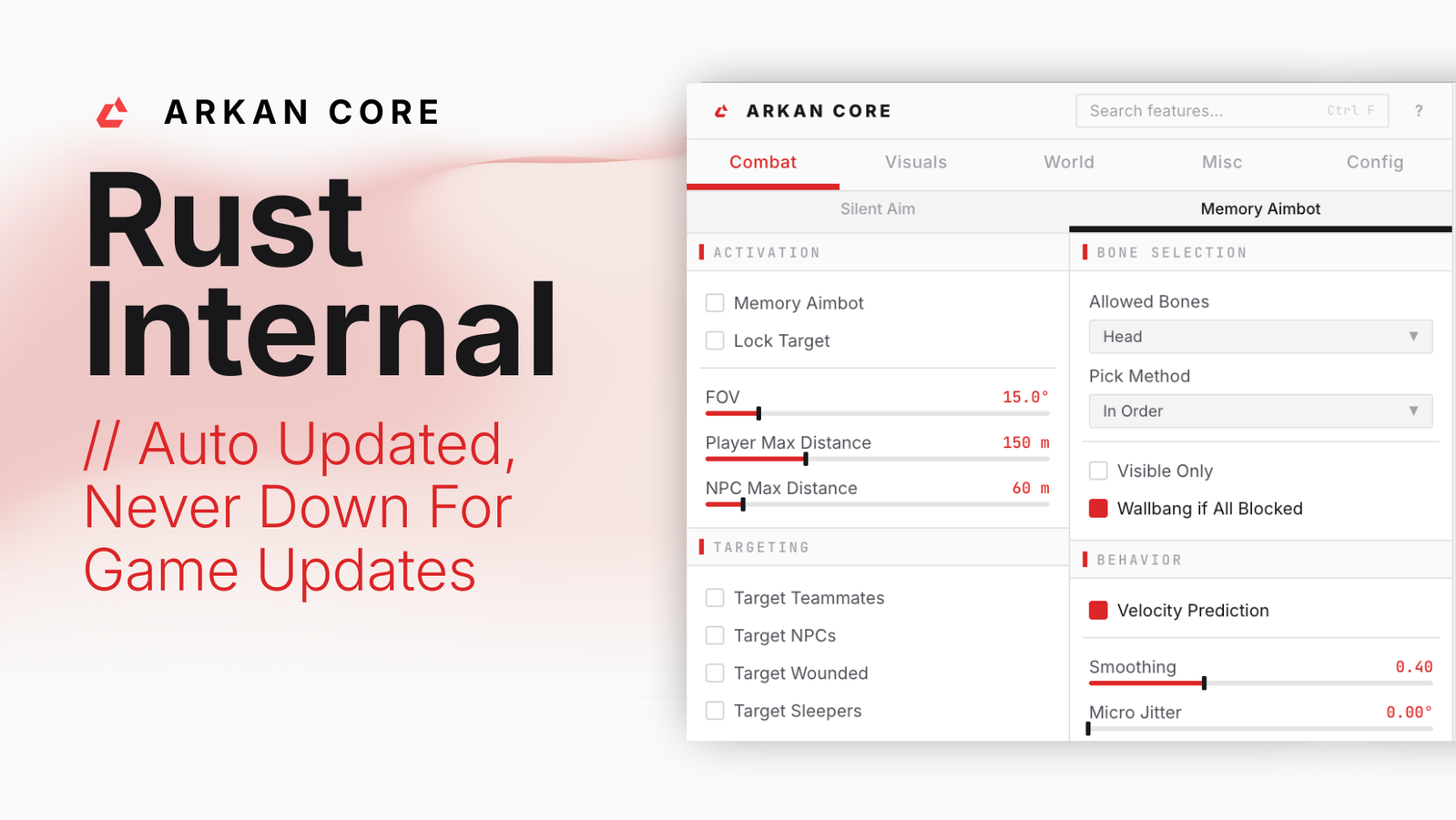
- Aimbot: Snaps onto your target(custom hotkey)
- High Grenade Prediction: Forces prediction to find a valid point from a higher angle.
- Use Vischeck: Only targets visible players.
- Use Smoothing: Humanizes the aimbot.
- Autofire: Automatically shoots when the target is hittable.
- Hit Chance: Makes some shots miss (only with PSilent, has slider for %).
- Keep Target: Keeps the target locked while holding the hotkey, even if out of FOV.
- Target Saved Position: Targets your current saved position on the map.
- PSilent: Curves projectiles towards the target(custom hotkey)
- Aimbone: Choose from a range of bones to aim at (Head, Neck, Spine, Lower Spine, Hitscan, Hitscan Priority).
- Secondary Aim Features:
- Smooth: Customizable smoothing value.
- Secondary Aimbone: Choose a secondary bone for aiming.
AUTOMATIONS
- From Grade: Chooses the starting upgrade tier.
- Auto Upgrade: Automatically upgrades the building you are looking at.
- Auto Cast Rod: Automatically casts the rod.
- Auto Reel Fish: Automatically reels the fish in for you.
- Visualize Tension: Displays the tension of the fishing line(can be moved)
- To Grade: Chooses the destination upgrade tier.
- Auto Reload Bait: Automatically reloads bait in the rod.
- Auto Loot Rods: Automatically loots a rod from the box when needed.
- Auto Deposit Broke Rods: Automatically deposits broken rods.
- Legit Mode: Allows for slower, more legitimate fishing.
- Auto Deposit Fish: Automatically deposits fish into selected boxes.
- Auto Reply: Automatically responds to chat messages(requires API access)
- Auto Heal: Automatically heals when health is low.
- Auto Drink: Automatically drinks when a water bottle or jug is out.
- Auto Eat: Automatically eats collectable entities.
- Spam Torch: Automatically toggles the torch on and off instantly.
- Auto Collect: Automatically collects entities.
- Collect Options: Allows selection of collectable items (e.g., Hemp, Stone, Metal, etc.).
RADAR
- Draw Scientist
- Adjustable color settings for the radar cross.
- Draw Direction: Displays the direction on the radar.
- Adjustable color settings for the radar background.
- Draw Circles
- Draw Background
- Draw Text
- Adjustable color settings for the radar circles.
- Draw Cross
- EnableRadar
- Draw Other Entities
REMOVALS
- No Smoke: Remove smoke effect and overlay.
- Remove Grass: Remove grass (boosts FPS).
- Remove Flash: Remove flashbang flash effect.
- Fov Value: Adjust the FOV value.
- Remove Layers: Remove specific layers to see through them.
- Fov Changer: Modify the field of view (FOV).
- Current Layers: Clutter, World, Water, Terrain, Construction, Tree.
ORE
- Wood Pile
- Farming Tool Check: Automatically checks if you have the required tool for farming ore/wood, and only displays the ESP if the tool is out.
- Metal Ore
- Sulfur Ore
- Stone Ore
- All of these have adjustable color settings.
TRAPS
- Sam Options: Select display options for Samsites (e.g., HealthBar, HideDefender).
- AutoTurret
- Turret Warnings: Enables warnings for nearby turrets.
- Turret Options: Select various display options for Auto Turrets (e.g., HealthBar, WeaponName).
- Tuncan Alarm
- Gun Trap
- Flame Trap
- Gun Options: Select display options for Gun Traps (e.g., HealthBar).
- Adjustable color settings for Flame Traps.
- Snap Trap
- Samsite
- Flame Options: Select display options for Flame Traps (e.g., HealthBar).
- Landmines
- Trap Chams
- Material: Choose the material type for trap chams (e.g., Lightning, LightGlow, Flame, etc.).
- All of these have adjustable color settings.
- All of these have adjustable distance.
ANIMALS
- Stag
- Shark
- Horse
- Bear
- All of these have adjustable distance.
- Wolf
- Boar
- All of these have adjustable color settings.
ENEMY OPTIONS
- Lists only players with an "Enemy" status.
- Similar to Friend Options, allows refreshing, copying Steam link, and setting status.
DEPLOYABLES
- HBHF Sensor
- Seismic Sensor
- RF Broadcaster
- Tier 3 Workbench
- Tier 2 Workbench
- Sleeping Bag
- Recycler
- All of these have adjustable color settings.
- Large Battery
- Deployable Chams: Enables chams for deployables.- Material: Choose the material type for deployable chams (e.g., Lightning, LightGlow, Flame, etc.).
- TC Options: Select various display options for the Cupboard (e.g., HealthBar, Upkeep, ShowID).
- Local Stashes: Saves the position of the stash you're looking at and stores it in your config.
- Stashes Unhidden
- RF Receiver
- Cupboard
- Deploy Distance: Adjusts the draw distance for deployables.
INGAME RADAR SLIDERS
- Map Circle Size
- Entity Map Circle Size
UTILITY
- Instant Loot: Instantly loots items from boxes.
- Instant Revive: Instantly revives players.
- Suicide: Breaks legs to suicide(custom hotkey)
- Fast Place: Decreases placement time for high walls.
- Open Crates: Opens underwater crates without untieing them.
- Replace Door: Replaces door you're looking at with one in your hand(custom hotkey)
- No Spike/Landmine Collision: Walk on top of landmines, highwalls, etc., without damage.
- Revive Options: Everyone or Friends Only.
- Instant Pickup: Instantly picks up items (e.g., doors, boxes).
- Debug Camera: Frees camera position(custom hotkey)
VISUAL MODIFICATIONS
- Crosshair Types: Choose from Cross, Thick Cross, or Dot.
- Fov Value: Adjustable FOV size for aimbot.
ORE MODIFICATIONS
- Material: Choose the material type for Ore chams (e.g., Lightning, LightGlow, Flame, etc.).
- Node Distance: Adjusts the draw distance for ores.
- Ore Chams
- Node Path: Draws a line to the closest ore enabled in ESP.
More for Rust