Video01 / 05
 WardogsInternalSKU 250
Wardogs Arkancore Internal Cheat
€29.99/ 30 Days€1.00 / day
UpdatingUpdated Oct 18, 2026
- Instant delivery
- Live support
€29.9930 Days
Specifications
- Status
- Updating
- Type
- Internal
- Last update
- Oct 18, 2026
- Windows
- 10, 11
- Game client
- Steam
- Processor
- Intel, AMD
- Built-in spoofer
- No
- Window mode
- All
- USB required
- No
About Wardogs Arkancore Internal Cheat
Arkancore Internal is our own Wardogs cheat, built and maintained in house.
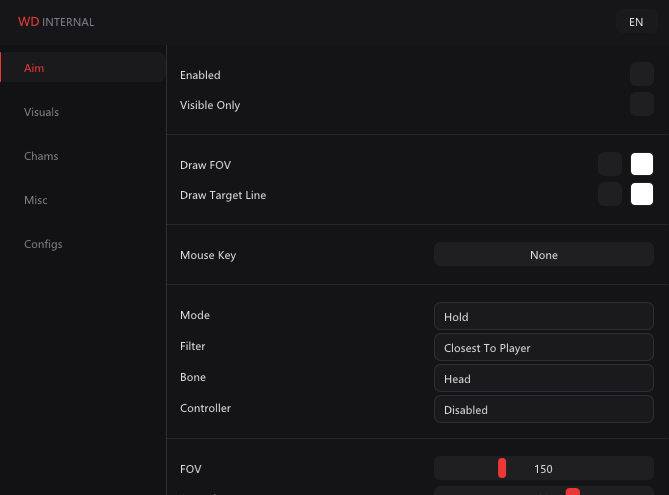
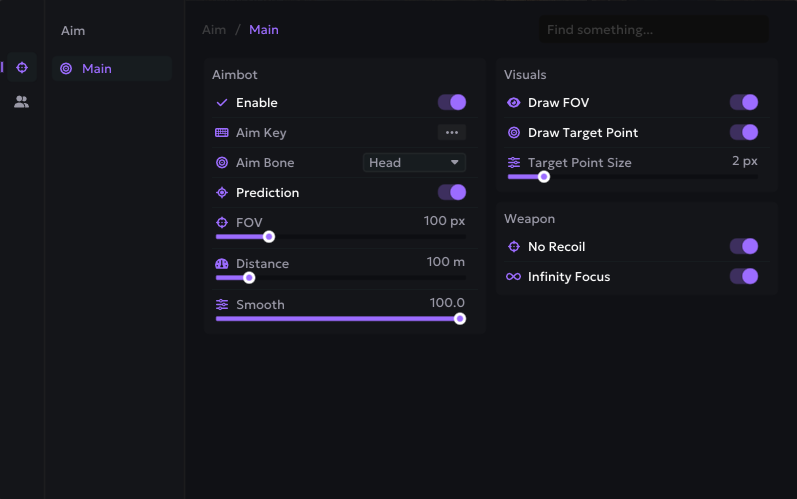
Two aim modes. Silent aim has its own FOV, hit chance and tracers. The aimbot has prediction, smoothing and a humanisation layer - jitter, overshoot, micro pause and curve - so the movement between targets looks like a hand rather than a script. Both can target the head, neck, chest or closest bone, with toggles for teammates, squad, downed players and visible-only targeting.
Weapon mods add instant hit, no recoil and no spread.
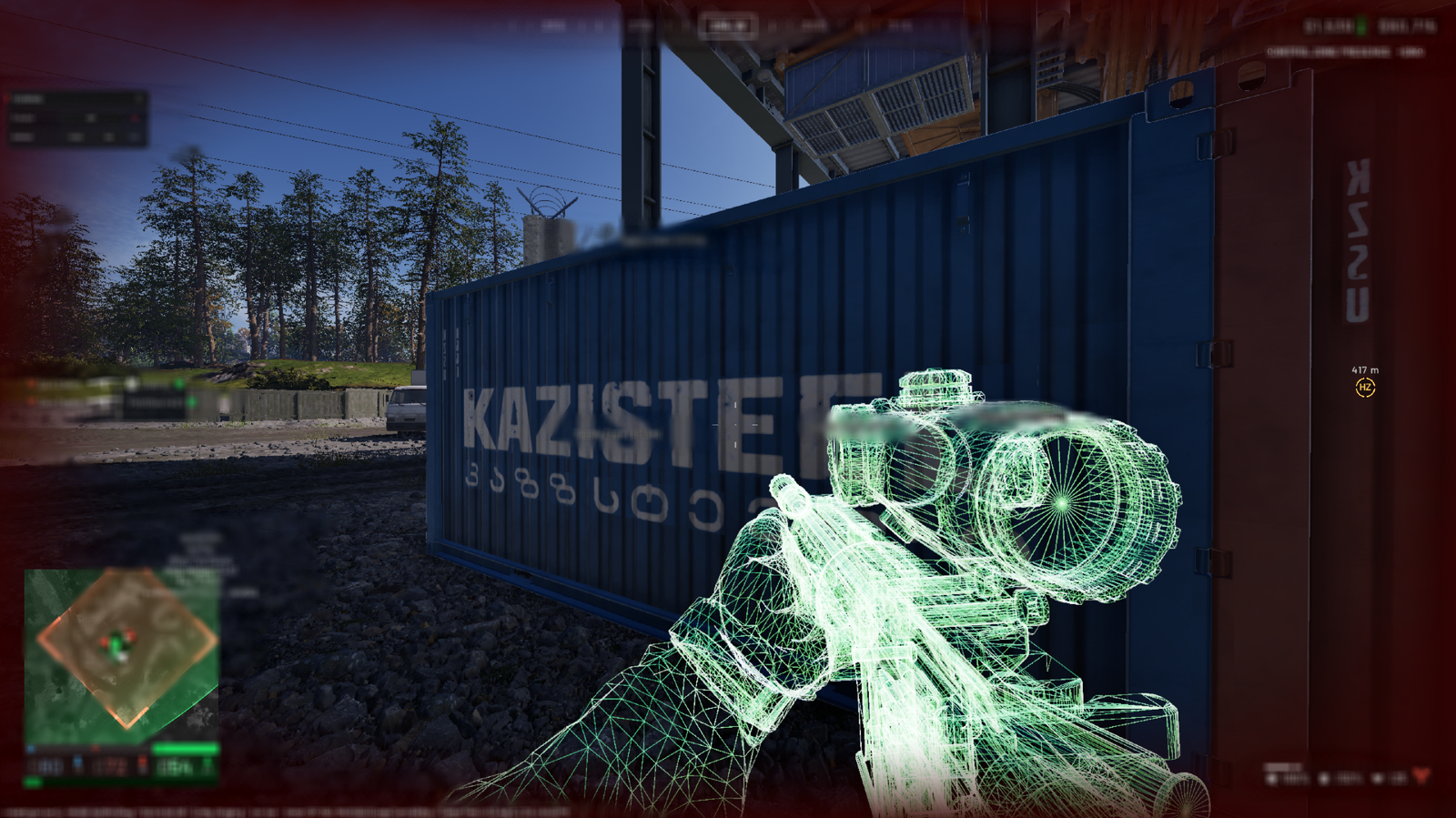
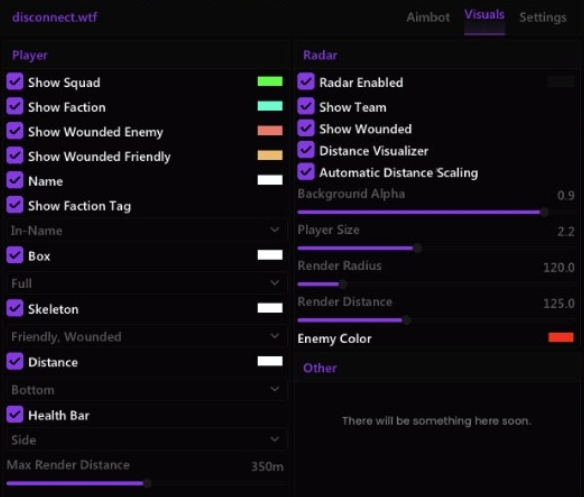
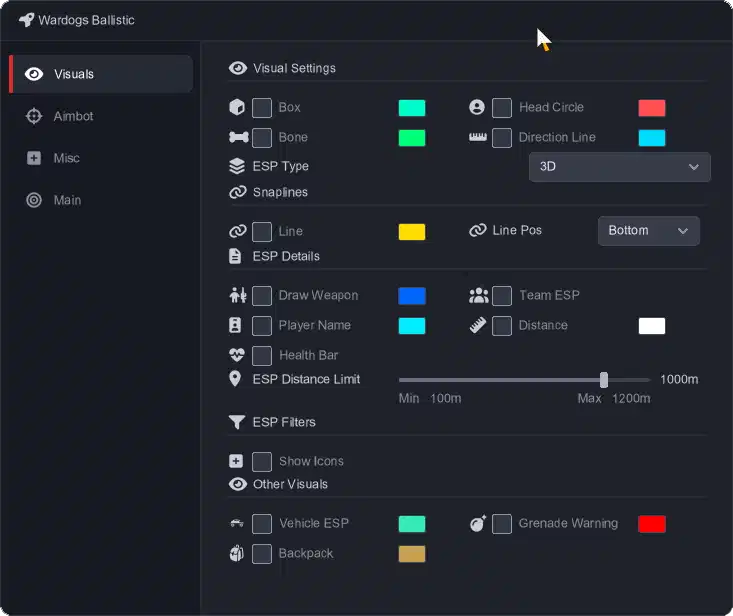
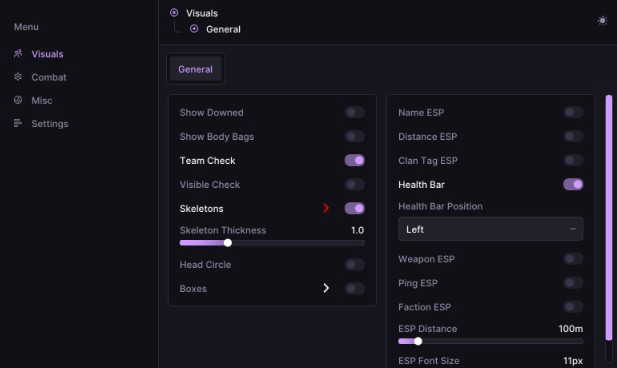
Player ESP separates Lonestar, Valkyra, Manticore, teammates, squad and dummies, with boxes, skeletons, health bars, head circles, view direction and snap lines, plus labels for name, distance, weapon, downed state, faction and squad.
World ESP marks claymores, mines, explosives, items, ammo and supply crates, vehicles, mortars and vendors - each with its own distance filter so the screen stays readable. The L81 mortar helper comes with its own overlay.
Every setting saves to a named config profile. Windows 10 and 11, Intel and AMD, Steam.
Two aim modes. Silent aim has its own FOV, hit chance and tracers. The aimbot has prediction, smoothing and a humanisation layer - jitter, overshoot, micro pause and curve - so the movement between targets looks like a hand rather than a script. Both can target the head, neck, chest or closest bone, with toggles for teammates, squad, downed players and visible-only targeting.
Weapon mods add instant hit, no recoil and no spread.
Player ESP separates Lonestar, Valkyra, Manticore, teammates, squad and dummies, with boxes, skeletons, health bars, head circles, view direction and snap lines, plus labels for name, distance, weapon, downed state, faction and squad.
World ESP marks claymores, mines, explosives, items, ammo and supply crates, vehicles, mortars and vendors - each with its own distance filter so the screen stays readable. The L81 mortar helper comes with its own overlay.
Every setting saves to a named config profile. Windows 10 and 11, Intel and AMD, Steam.
Features
COMBAT
- Silent Aim
- Activation
- Silent Aim
- Lock Target
- Targeting
- Target Bone
- Options: Head, Neck, Chest, Closest (dropdown)
- Target Teammates
- Target Squad
- Skip Downed
- Visible Only
- Max Distance
- Target Bone
- FOV
- FOV
- Dynamic FOV
- FOV Min
- Hit Chance
- Behavior
- Score Distance
- Score FOV
- Speed Mult
- Visual
- Draw FOV
- Draw Target
- Tracers
- Activation
- Aimbot
- Activation
- Enable Aimbot
- Bind: M2 (hold / toggle)
- Lock Target
- Enable Aimbot
- Targeting
- Aim Bone
- Options: Head, Neck, Chest, Closest (dropdown)
- Target Teammates
- Target Squad
- Skip Downed
- Visible Only
- Aim Bone
- FOV & Range
- FOV
- Dynamic FOV
- FOV Min
- Max Distance
- Hit Chance
- Behavior
- Prediction
- Predict Lead
- Smoothing
- Score Distance
- Score FOV
- Draw FOV
- Draw Target
- Humanization
- Jitter
- Overshoot
- Micro Pause
- Curve
- Activation
- Extras
- Weapon Mods
- Instant Hit
- No Recoil
- No Spread
- Weapon Mods
PLAYERS
- Subtypes (left panel): Lonestar (Blue), Valkyra (Red), Manticore (Green), Teammates, Squad, Dummies
- Per subtype master:
- Enabled (checkbox on subtype row)
- Render:
- Box
- Enabled / Color (Visible + Invisible palette)
- Extras > Effects
- Stroke (Enabled, Color, Thickness)
- Inner Stroke (Enabled, Color, Thickness)
- Box
- Style dropdown: Full, Corners, Dashed, Dotted
- Roundness
- Thickness
- Glow (Enabled, Color, Strength dropdown: Subtle, Normal, Strong)
- Extras footer: Hide In Combat
- Skeleton
- Enabled / Color (Visible + Invisible palette)
- Extras > Bones
- Thickness
- Joint Cap dropdown: None, Square, Round
- Joint Size
- Max Distance (m)
- Extras > Effects
- Stroke (Enabled, Color, Thickness)
- Glow (Enabled, Color, Strength dropdown)
- Extras footer: Hide In Combat
- Health Bar
- Enabled / Color
- Extras > Position: compact grid (L / R / T / B)
- Extras > Health
- Fill Style dropdown: Static, Health, Gradient, Segmented
- Extras > Effects
- Stroke (Enabled, Color, Thickness)
- Glow (Enabled, Color, Strength dropdown)
- Extras footer: Hide In Combat
- Head Circle
- Enabled / Color
- Extras > Marker
- Radius (px at 1 m)
- Roundness
- Thickness
- Extras > Effects
- Stroke (Enabled, Color, Thickness)
- Inner Stroke (Enabled, Color, Thickness)
- Glow (Enabled, Color, Strength dropdown)
- Extras footer: Hide In Combat
- View Direction
- Enabled / Color
- Extras > View
- Length (m)
- Thickness (px)
- Extras > Effects
- Stroke (Enabled, Color, Thickness)
- Glow (Enabled, Color, Strength dropdown)
- Extras footer: Hide In Combat
- Snap Line
- Enabled / Color
- Extras > Line
- From: screen anchor grid
- To: anchor grid
- Thickness (px)
- Extras > Effects
- Stroke (Enabled, Color, Thickness)
- Glow (Enabled, Color, Strength dropdown)
- Extras footer: Hide In Combat
- Box
- Labels:
- Name
- Enabled / Color
- Extras > Position
- Anchor grid (TL/T/TR/L/R/BL/B/BR + HEAD/FEET)
- Extras > Style
- Preview strip (live "Sample 42m")
- Text Size
- Weight dropdown: Light, Regular, Medium, SemiBold, Bold, Heavy
- Append dropdown: None, Distance (append "42m" inline into the name)
- Background
- Enabled
- Color
- Roundness
- Padding X
- Padding Y
- Extras > Effects
- Stroke (Enabled, Color, Thickness)
- Glow (Enabled, Color, Strength dropdown)
- Extras footer: Hide In Combat
- Distance
- Enabled / Color
- Extras > Position
- Anchor grid
- Extras > Style
- Same as Name (size, weight, background, no append option)
- Extras > Effects
- Stroke, Glow
- Extras footer: Hide In Combat
- Weapon
- Enabled / Color
- Extras > Position
- Anchor grid
- Extras > Style
- Same as Name (size, weight, background, no append option)
- Extras > Effects
- Stroke, Glow
- Extras footer: Hide In Combat
- Downed
- Enabled / Color
- Extras > Position
- Anchor grid
- Extras > Style
- Same as Name (size, weight, background, no append option)
- Extras > Effects
- Stroke, Glow
- Extras footer: Hide In Combat
- Faction
- Enabled / Color
- Extras > Position
- Anchor grid
- Extras > Style
- Same as Name (size, weight, background, no append option)
- Extras > Effects
- Stroke, Glow
- Extras footer: Hide In Combat
- Squad
- Enabled / Color
- Extras > Position
- Anchor grid
- Extras > Style
- Same as Name (size, weight, background, no append option)
- Extras > Effects
- Stroke, Glow
- Extras footer: Hide In Combat
- Name
- Filters:
- Max Distance (10 - 5000 m)
WORLD
- Subtypes (left panel): Claymore, Mines, Explosives, Items, Ammo Crates, Supply Crates, Vehicles, Mortars, Vendors
- Per subtype master:
- Enabled (checkbox on subtype row)
- Render:
- Marker
- Enabled / Color
- Extras > Marker
- Radius (px at 1 m)
- Roundness
- Thickness
- Extras > Effects
- Stroke (Enabled, Color, Thickness)
- Inner Stroke (Enabled, Color, Thickness)
- Glow (Enabled, Color, Strength dropdown)
- Extras footer: Hide In Combat
- Name
- Enabled / Color
- Extras > Position
- Anchor grid
- Extras > Style
- Preview strip
- Text Size
- Weight dropdown: Light, Regular, Medium, SemiBold, Bold, Heavy
- Background (Enabled, Color, Roundness, Padding X, Padding Y)
- Extras > Effects
- Stroke, Glow
- Extras footer: Hide In Combat
- Distance
- Enabled / Color
- Extras > Position
- Anchor grid
- Extras > Style
- Same as Name (size, weight, background, no append option)
- Extras > Effects
- Stroke, Glow
- Extras footer: Hide In Combat
- Marker
- Filters:
- Max Distance
- Claymore: 5 - 5000 m (default 50)
- Mines: 5 - 5000 m (default 50)
- Explosives: 5 - 5000 m (default 100)
- Items: 5 - 5000 m (default 50)
- Ammo Crates: 5 - 5000 m (default 200)
- Supply Crates: 5 - 5000 m (default 200)
- Vehicles: 5 - 5000 m (default 400)
- Mortars: 5 - 5000 m (default 700)
- Vendors: 5 - 5000 m (default 100)
- Max Distance
MISC
- Mortar
- L81 Mortar Helper
- Mortar Helper
- Overlay Color
- Color picker on the row
- Text Size
- L81 Mortar Helper
CONFIG
- Config profiles panel:
- Profile name input
- Save / Load / Delete
- Refresh list
- Reset defaults
- Unload
- Menu Toggle Bind
More for Wardogs